


课程描述
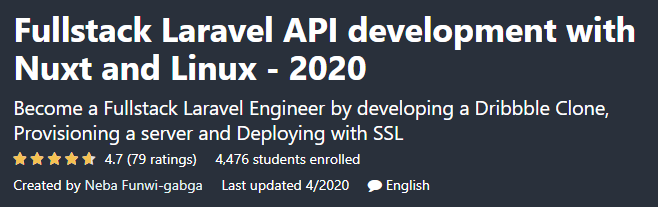
Fullstack Laravel API development with Nuxt and Linux is a course from Udemy that teaches you how to build Laravel API with Nuxt and Linux, and by creating a clone of Dribbble, it turns you into a Fullstack programmer in Laravel. By taking this course, you can take your PHP programming skills to the next level and learn to work on professional projects such as building a Dribbble site.
使用 Nuxt 和 Linux 进行全栈 Laravel API 开发是 Udemy 的一门课程,它教您如何使用 Nuxt 和 Linux 构建 Laravel API,并通过创建 Dribbble 的克隆,将您变成 Laravel 的全栈程序员。通过学习本课程,您可以将您的 PHP 编程技能提升到一个新的水平,并学习从事专业项目,例如构建 Dribbble 站点。
At the beginning of the course you will learn how to organize your code in the repositories and get acquainted with the Repository pattern. Then you\’ll learn how to authenticate a user with JWT, and you\’ll also learn how to verify your account and recover your password. In the following, you will go to the search topic based on the location in MySQL and learn how to implement it. Uploading images, configuring NuxtJS, using the GoogleMap API, and working with a web server are other topics of this course.
在课程开始时,您将学习如何在存储库中组织代码并熟悉存储库模式。然后您将学习如何使用 JWT 对用户进行身份验证,您还将学习如何验证您的帐户和恢复您的密码。下面,你将进入MySQL中基于位置的搜索主题,并学习如何实现它。上传图片、配置 NuxtJS、使用 GoogleMap API 以及使用网络服务器是本课程的其他主题。
Courses taught in this course:; 本课程讲授的课程:
- Build API-based software using Laravel and MySQL
- 使用 Laravel 和 MySQL 构建基于 API 的软件
- Familiarity with the Repository pattern
- 熟悉存储库模式
- User ID with JWT
- 带有 JWT 的用户 ID
- Account verification and password recovery
- 帐户验证和密码恢复
- Search by location in MySQL
- 在 MySQL 中按位置搜索
- NuxtJS configuration
- NuxtJS 配置
- Use the GoogleMap API
- 使用谷歌地图 API
Fullstack Laravel API development course specifications with Nuxt and Linux:; Fullstack Laravel API 开发课程规范与 Nuxt 和 Linux:
- English language
- 英语
- Duration: 18 hours and 47 minutes
- 时长:18小时47分钟
- Number of lessons: 145
- 课时数:145
- Level of education: Medium
- 教育程度:中等
- Instructor: Neba Funwi-gabga
- 指导老师:Neba Funwi-gabga
- File format: mp4
- 文件格式:mp4
Course topics; 课程主题
145 lectures 18:47:03
145 讲 18:47:03
Getting Started
6 lectures 26:44
入门 6 个讲座 26:44
Setting up the New Laravel Project
4 lectures 13:29
设置新的 Laravel 项目 4 个讲座 13:29
Authenticating API users in Laravel with JWT
16 lectures 01:50:31
使用 JWT 对 Laravel 中的 API 用户进行身份验证 16 讲 01:50:31
Updating User Profile Information
3 lectures 20:12
更新用户配置文件信息 3 个讲座 20:12
Creating and managing Designs
14 lectures 01:53:34
创建和管理设计 14 个讲座 01:53:34
Laravel Repository Pattern
11 lectures 01:26:09
Laravel 存储库模式 11 个讲座 01:26:09
Adding Comment and Likes to the Application
7 lectures 59:15
向应用程序添加评论和点赞 7 个讲座 59:15
Setting up Designer Teams
12 lectures 01:58:38
设置设计师团队 12 个讲座 01:58:38
Chat Messaging between users
8 lectures 01:04:02
Chat Messaging between users 8 讲座 01:04:02
Searching Shots and Designers
3 lectures 42:13
搜索镜头和设计师 3 个讲座 42:13
A few Clean up and getting ready for the UI
5 lectures 18:52
一些清理并为 UI 5 讲座 18:52 做好准备
Getting started with the Frontend
8 lectures 01:05:43
前端入门 8 个讲座 01:05:43
Implementing Authentication in the UI
7 lectures 01:00:18
在 UI 中实现身份验证 7 个讲座 01:00:18
Creating Global Dynamic Components and Route Middleware
4 lectures 39:47
创建全局动态组件和路由中间件 4 讲 39:47
Uploading Designs from the User Interface
13 lectures 01:55:39
从用户界面上传设计 13 个讲座 01:55:39
Listing and Searching Designs
7 lectures 56:44
列出和搜索设计 7 个讲座 56:44
Deploying the Application to Remote Server
17 lectures 01:55:12
将应用程序部署到远程服务器 17 讲 01:55:12
Course prerequisites; 课程先决条件
- Knowledge of Laravel and PHP will be very useful
- 了解 Laravel 和 PHP 将非常有用
- Working knowledge of Vuejs for client-side applications will be helpful
- 客户端应用程序的 Vuejs 工作知识将有所帮助
- Any experience with Linux will be useful but not required
- 任何 Linux 经验都将是有用的,但不是必需的
Pictures; 图片
Sample movie; 样片
Media error: Format(s) not supported or source(s) not found
媒体错误:格式不受支持或来源未找到
Installation guide; 安装指南
After Extract, view with your favorite Player.
Extract 后,用您最喜欢的播放器观看。
Subtitle: None
副标题:无
Quality: 720p
画质:720p



