


课程描述
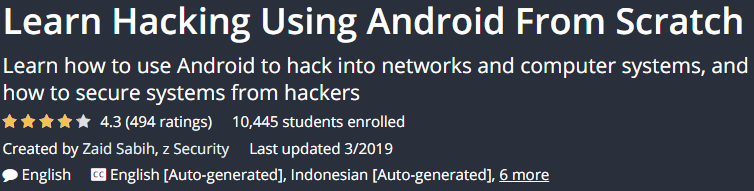
Learn Hacking Using Android From Scratch is a tutorial from Udemy that teaches you how to use an Android device to hack networks and systems or prevent system intrusion. This course will first introduce you to the basics like preparing an Android mobile device and computer and installing the necessary applications on it, and finally show you how to have complete control over different systems using hacking. . This tutorial focuses on the practical and theory of intrusion testing and helps you prepare to run the attack or prevent intrusion.
Learn Hacking Using Android From Scratch 是 Udemy 的教程,教您如何使用 Android 设备破解网络和系统或防止系统入侵。本课程将首先向您介绍准备 Android 移动设备和计算机以及在其上安装必要的应用程序等基础知识,最后向您展示如何使用黑客完全控制不同的系统。 .本教程侧重于入侵测试的实践和理论,帮助您准备运行攻击或防止入侵。
The course is divided into four main sections. In the first part, we will teach you how to set up a mobile computer, how to install NetHunter software on Android, and how to install Cali Linux on your computer. The second part deals with gathering information over the WiFi network and identifying the devices connected to it and information such as their IP address, MAC address, and operating system. In part three, you will learn how to use the information gained and launch the MITM attack. In the final section, you will learn how to use and extract information and learn data protection techniques.
该课程分为四个主要部分。在第一部分中,我们将教您如何设置移动数据终端,如何在 Android 上安装 NetHunter 软件,以及如何在您的计算机上安装 Cali Linux。第二部分涉及通过 WiFi 网络收集信息并识别连接到它的设备及其 IP 地址、MAC 地址和操作系统等信息。在第三部分中,您将学习如何使用获得的信息并发起 MITM 攻击。在最后一节中,您将学习如何使用和提取信息以及学习数据保护技术。
Courses taught in this course:; 本课程讲授的课程:
- Android device training for network and system hacking
- 针对网络和系统黑客攻击的 Android 设备培训
- Root and open boot loader for Android devices
- Android 设备的 Root 和打开引导加载程序
- Spy On Systems
- 监视系统
- Full access and control of Windows / OSX / Linux systems
- 完全访问和控制 Windows / OSX / Linux 系统
- Cross the OSX / Windows login page
- 跨越 OSX/Windows 登录页面
- Build fake access points and view user activities
- 构建虚假接入点并查看用户活动
- Install NetHunter and Kali Linux
- 安装 NetHunter 和 Kali Linux
- Detect all nearby WiFi networks
- 检测附近的所有 WiFi 网络
- Identify devices connected to a network
- 识别连接到网络的设备
- Attack Prevention Training
- 攻击预防培训
Specifications of the Learn Hacking Course Using Android From Scratch:; 使用 Android 从头开始学习黑客课程的规范:
- English language
- 英语
- Duration: 4 hours 19 minutes
- 持续时间:4 小时 19 分钟
- Number of courses: 47
- 课程数量:47
- Level of education: Intermediate
- 教育程度:中级
- Instructor: Zaid Sabih, z Security
- 讲师:Zaid Sabih, z Security
- File format: mp4
- 文件格式:mp4
课程描述
47 lectures 04:19:31
47讲 04:19:31
Introduction
1 lecture 02:56
介绍 1 讲座 02:56
Weaponizing
6 lectures 10:49
武器化 6 个讲座 10:49
Installing Kali Linux as a Virtual Machine (Optional)
2 lectures 15:37
将 Kali Linux 安装为虚拟机(可选)2 个讲座 15:37
Information Gathering
5 lectures 36:22
信息收集 5 讲 36:22
Spying
2 lectures 06:58
间谍 2 讲座 06:58
Spying> MITM Method 1 – Bad USB Attack
4 lectures 29:24
Spying> MITM Method 1 – Bad USB Attack 4 讲座 29:24
Spying> MITM Method 2 – ARP Poisoning
5 lectures 28:19
间谍 > MITM 方法 2 – ARP 中毒 5 讲座 28:19
Spying> MITM Method 3 – Fake Access Point
4 lectures 26:32
间谍> MITM 方法 3 – 假接入点 4 讲座 26:32
Detection & Protection
2 lectures 9:45
检测与防护2讲9:45
Exploitation (Gaining Access)
9 lectures 01:04:20
开发(获取访问权限)9 个讲座 01:04:20
Exploitation – Rubber Ducky Scripts
4 lectures 20:35
剥削 – Rubber Ducky 脚本 4 个讲座 20:35
Detecting Malicious Files
2 lectures 06:51
检测恶意文件 2 个讲座 06:51
Bonus Section
1 lecture 01:31
Bonus Section 1 讲座 01:31
课程描述
- Basic IT skills
- 基本信息技术技能
- Some Experience Using Android
- 使用Android的一些经验
- An Android device preferably a Nexus device or OnePlus One phone
- Android 设备最好是 Nexus 设备或 OnePlus One 手机
课程描述
Sample movie; 样片
Media error: Format(s) not supported or source(s) not found
媒体错误:格式不受支持或来源未找到
课程描述
View with your favorite Player after Extract.
Extract 后与您最喜欢的播放器一起观看。
English subtitle
英文字幕
Quality: 720p
画质:720p
课程描述



