


课程描述
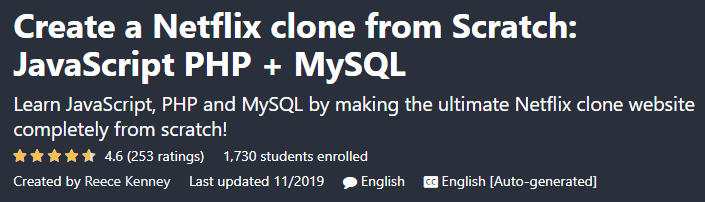
Create a Netflix clone from Scratch: JavaScript PHP + MySQL is the name of a training course on the Udemy site that teaches you the language of JavaScript, PHP and MySQL by creating a clone of the Netflix site. Do you want to learn JavaScript, PHP and MySQL professionally? Are you planning to create a streaming video site similar to Netflix? In this case, this course will be quite suitable for you.
从头开始创建 Netflix 克隆:JavaScript PHP + MySQL 是 Udemy 网站上培训课程的名称,它通过创建 Netflix 网站的克隆来教您 JavaScript、PHP 和 MySQL 的语言。您想专业学习 JavaScript、PHP 和 MySQL 吗?您打算创建类似于 Netflix 的流媒体视频网站吗?在这种情况下,本课程将非常适合您。
In this course, you will learn step by step how to build a clone from Netflix from start to finish and learn JavaScript, PHP and MySQL professionally and practically. The course instructor will teach you how to create a user registration function and teach you movie streaming capabilities, live search system, and synchronization with payment gateways for monetary accounts. It doesn\’t matter if you are a beginner or a professional, this course will teach you some valuable tips anyway.
在本课程中,您将逐步学习如何从头到尾从 Netflix 构建克隆,并专业、实用地学习 JavaScript、PHP 和 MySQL。课程讲师将教您如何创建用户注册功能,并教您电影流媒体功能、实时搜索系统以及与货币账户支付网关的同步。无论您是初学者还是专业人士,本课程都会教给您一些宝贵的技巧。
Courses taught in this course:; 本课程讲授的课程:
- Build a streaming site similar to Netflix
- 建立一个类似于 Netflix 的流媒体网站
- Learn JavaScript, PHP and MySQL
- 学习 JavaScript、PHP 和 MySQL
- HTML Training
- HTML培训
- CSS training
- CSS培训
- Professional programming techniques
- 专业的编程技术
Create a Netflix clone course from Scratch: JavaScript PHP + MySQL:; 从头开始创建 Netflix 克隆课程:JavaScript PHP + MySQL:
- English language
- 英语
- Duration: 11 hours and 32 minutes
- 持续时间:11 小时 32 分钟
- Number of lessons: 141
- 课时数:141
- Level of education: Medium
- 教育程度:中等
- Instructor: Reece Kenney
- 教练:里斯·肯尼
- File format: mp4
- 文件格式:mp4
Course topics; 课程主题
141 lectures 11:32:29
141讲 11:32:29
Introduction
4 lectures 11:46
介绍 4 讲座 11:46
Register / Login Page – Front end
10 lectures 58:55
注册/登录页面 – 前端 10 个讲座 58:55
Register / Login Page – Back end
22 lectures 01:57:22
注册/登录页面 – 后端 22 个讲座 01:57:22
Creating the video preview
17 lectures 01:19:19
创建视频预览 17 讲 01:19:19
Displaying movies and tv shows
8 lectures 44:07
展示电影和电视节目 8 个讲座 44:07
Creating the entity page
11 lectures 01:03:47
创建实体页面 11 讲座 01:03:47
Creating the \’watch\’ video page
14 lectures 01:08:20
创建“观看”视频页面 14 讲座 01:08:20
The \’up next\’ overlay
15 lectures 01:04:44
“下一个”叠加 15 个讲座 01:04:44
Navigation bar
4 lectures 21:09
导航栏 4 讲 21:09
TV Shows, movies and category pages
7 lectures 24:47
电视节目、电影和类别页面 7 个讲座 24:47
Search page
6 lectures 25:31
搜索页 6 讲座 25:31
Account page
10 lectures 51:58
帐户页 10 讲座 51:58
PayPal payment subscription integration
13 lectures 01:00:44
PayPal支付订阅整合13讲 01:00:44
Course prerequisites; 课程先决条件
- At least a basic programming understanding is recommended
- 建议至少有基本的编程理解
Pictures; 图片
Sample movie; 样片
Media error: Format(s) not supported or source(s) not found
媒体错误:格式不受支持或来源未找到
Installation guide; 安装指南
After Extract, view with your favorite Player.
Extract 后,用您最喜欢的播放器观看。
English subtitle
英文字幕
Quality: 720p
画质:720p



