


课程描述
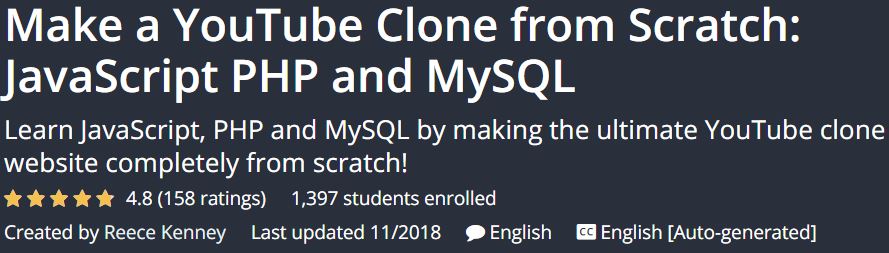
Make a YouTube Clone from Scratch: JavaScript PHP and MySQL is a tutorial that teaches you JavaScript, PHP, and MySQL in the form of a video upload website like YouTube. This course is taught by a Microsoft software engineer and will convey your valuable experiences to you. If you also want to learn the full language of JavaScript, PHP, and MySQL, or create a YouTube-like website for uploading videos, be sure to check out this course.
Make a YouTube Clone from Scratch: JavaScript PHP and MySQL 是一个教程,以像 YouTube 这样的视频上传网站的形式教你 JavaScript、PHP 和 MySQL。本课程由微软软件工程师授课,将向您传达宝贵的经验。如果您还想学习 JavaScript、PHP 和 MySQL 的完整语言,或者创建一个类似 YouTube 的网站来上传视频,请务必查看本课程。
This step-by-step course explains how to build a dedicated video upload site that features such as uploading videos, creating video thumbnails, converting videos on a server, launching a video player, liking and disliking videos, making Complete comment system, edit video details, create account, and more. The course content is at a very high level and even sufficient for employment in companies such as Google, Microsoft, Amazon, and Facebook.
这个循序渐进的课程解释了如何建立一个专门的视频上传网站,该网站具有上传视频、创建视频缩略图、在服务器上转换视频、启动视频播放器、喜欢和不喜欢视频、制作完整的评论系统、编辑视频等功能详细信息、创建帐户等。课程内容水平非常高,甚至足以在谷歌、微软、亚马逊、Facebook等公司就业。
Courses taught in this course:; 本课程讲授的课程:
- Learn JavaScript , PHP, and MySQL
- 学习 JavaScript、PHP 和 MySQL
- Object-oriented programming
- 面向对象编程
- Manage the provision of PHP information and import into MySQL databases
- 管理提供 PHP 信息并导入 MySQL 数据库
- Build a video upload website like YouTube with similar features
- 建立一个像 YouTube 一样具有类似功能的视频上传网站
Course Profile Make a YouTube Clone from Scratch: JavaScript PHP and MySQL; 课程简介 从头开始克隆 YouTube:JavaScript PHP 和 MySQL
- English language
- 英语
- Duration: 18 hours 32 minutes
- 持续时间:18 小时 32 分钟
- Number of lessons: 194
- 课时数:194
- Tutor: Reece Kenney
- 导师:里斯·肯尼
- File format: mp4
- 文件格式:mp4
Course headings:; 课程标题:
Introduction
4 lectures
17:41
介绍 4 讲座 17:41
Navigation bars
11 lectures
01:05:28
导航栏 11 讲 01:05:28
Video upload form
10 lectures
01:02:15
视频上传表格 10讲 01:02:15
Uploading videos
21 lectures
02:20:05
上传视频 21 节课 02:20:05
User sign up
27 lectures
02:30:57
用户报名 27 讲座 02:30:57
Video player
9 lectures
45:18
视频播放器 9 个讲座 45:18
Liking and disliking videos
19 lectures
01:51:09
喜欢和不喜欢视频 19 个讲座 01:51:09
Video details section
11 lectures
01:15:12
视频详情 第11讲 01:15:12
Comment section
25 lectures
02:24:42
评论区25讲02:24:42
Suggested videos
8 lectures
40:10
推荐视频 8 个讲座 40:10
Displaying videos on the home page
4 lectures
24:31
在主页上显示视频 4 个讲座 24:31
Search results page
5 lectures
32:56
搜索结果页 5 讲座 32:56
Navigation menu
9 lectures
44:09
导航菜单 9 个讲座 44:09
Profile page
15 lectures
01:05:50
简介页 15 讲座 01:05:50
Settings page
7 lectures
43:11
设置页 7 讲座 43:11
Edit video
9 lectures
49:03
编辑视频 9 讲 49:03
Prerequisites Make a YouTube Clone from Scratch: JavaScript PHP and MySQL course; 先决条件 从头开始克隆 YouTube:JavaScript PHP 和 MySQL 课程
- A basic programming knowledge is great, but not needed
- 基本的编程知识很好,但不是必需的
- Basic object oriented programming knowledge is a bonus
- 基本的面向对象编程知识是一种奖励
- Any computer (Windows, Mac or Linux is fine)
- 任何计算机(Windows、Mac 或 Linux 都可以)
课程描述
Sample movie; 样片
Media error: Format(s) not supported or source(s) not found
媒体错误:格式不受支持或来源未找到
课程描述
View with your favorite Player after Extract.
Extract 后与您最喜欢的播放器一起观看。
English subtitle
英文字幕
Quality: 720p
画质:720p
课程描述



